Subscription vs Perpetual License: A Practical Guide
Subscription vs perpetual license compared. Learn how each model affects revenue, cost, exit risk, and payment resilience for SaaS and on-premise vendors.
A recurring-revenue business can discover the true cost of a software license change on renewal day. The product still works, but the billing connector has been retired, saved payment methods are trapped in an old gateway, webhook events no longer reach finance, and the team can't explain which customers were successfully rebilled.
That's why the subscription vs perpetual license decision deserves more than a price comparison. It determines who controls access, updates, infrastructure, payment integrations, audit records, and the exit path when the vendor relationship changes.
Table of Contents
- When a License Change Breaks Your Recurring Revenue
- What Subscription and Perpetual Models Mean
- Comparing the Two Models Side by Side
- Revenue, Cash Flow, and Operational Impact
- The Break-Even Trap and the Case for Risk-Adjusted Cost
- Which Model Fits Which Business
- Choosing the Right Model and Building Payment Resilience
When a License Change Breaks Your Recurring Revenue
A mid-market SaaS company moves from a perpetual, self-hosted product to a subscription cloud tier. The commercial case looks reasonable. The cloud version includes continuous updates, hosted infrastructure, and vendor support, while the old deployment has become expensive to maintain.
Within the migration period, the billing system used by the on-premise product is retired. Its gateway-scoped card tokens can't be used in the new environment. Renewal rules disappear with the old deployment, webhook events stop triggering finance workflows, and the team loses part of the audit trail behind recurring charges.
The finance team now has to rebuild billing while customers face failed renewals. Some customers are willing to pay, but their saved payment methods need to be collected or migrated through a supported process. Others are marked inactive because the subscription system can't distinguish a temporary payment failure from a canceled contract.
This is a hypothetical scenario, but the failure pattern is real. A vendor change can affect much more than software access:
- Saved payment methods: Check whether tokens are portable across supported processors or locked to one gateway.
- Dunning workflows: Confirm whether retry schedules, customer notifications, and recovery rules can be exported.
- Webhook history: Establish how payment events, refunds, disputes, and subscription status changes remain available after termination.
- Operational continuity: Define what happens during an outage, a disputed invoice, or a provider-side suspension.
- Customer migration: Document whether customers must re-enter payment details when the commercial model changes.
Practical rule: Treat payment credentials, billing events, and renewal logic as continuity assets, not implementation details.
Subscription access can be commercially attractive, especially when the vendor delivers frequent updates and manages infrastructure. Perpetual licensing can preserve control over a deployed version, but it may leave the customer responsible for maintenance, upgrades, security, and payment integrations. In both cases, a renewal failure can become a revenue problem rather than a procurement problem.
Before signing, map the systems that keep recurring revenue alive. A practical starting point is subscription recovery guidance for recurring businesses, then validate the specific export, migration, and outage terms in the contract.
What Subscription and Perpetual Models Mean
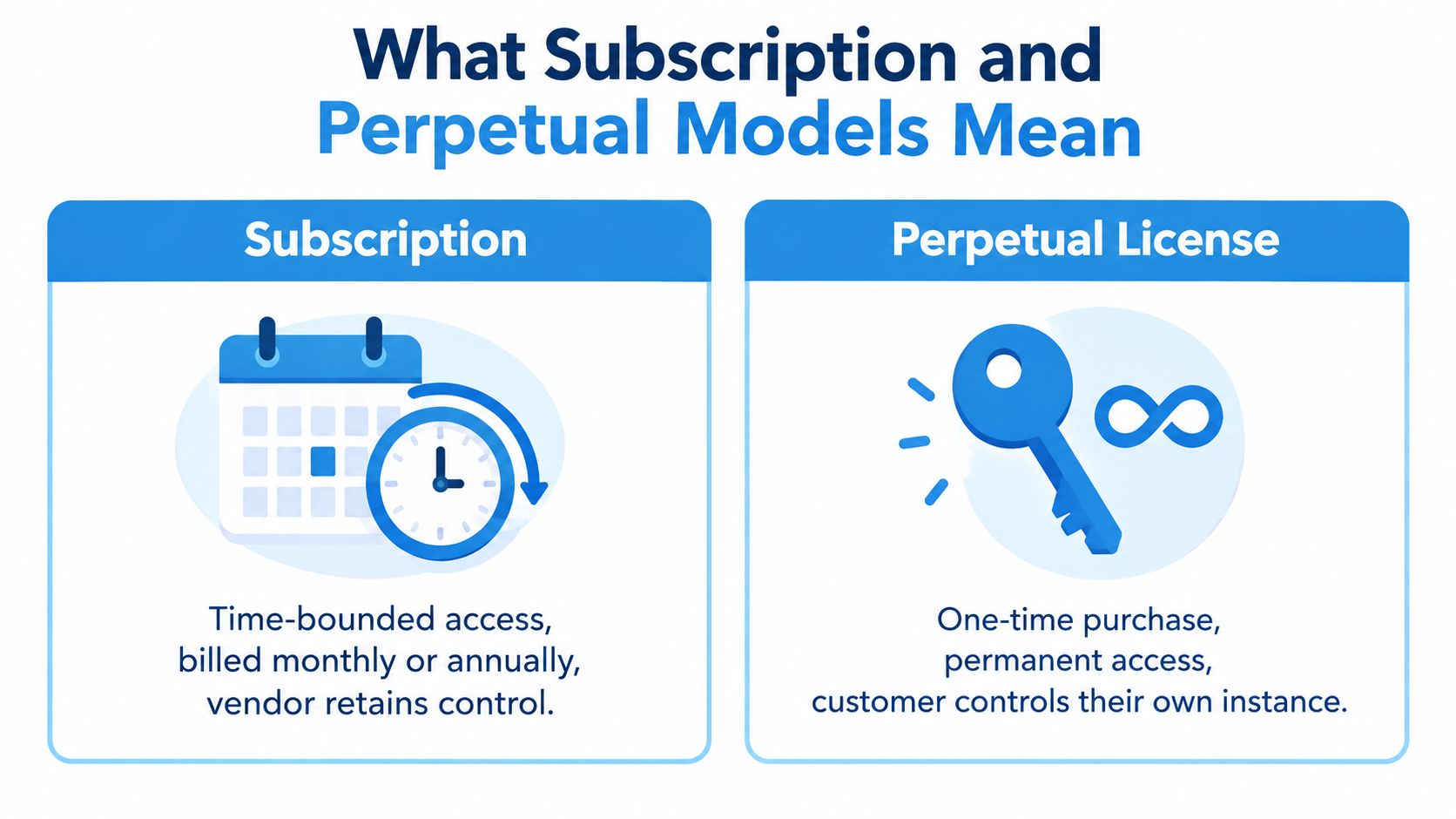
A subscription license gives the customer access for a defined period, usually under monthly or annual billing. The vendor normally controls the hosted application, software version, access credentials, and service environment. Updates, support, security maintenance, and infrastructure are often bundled into the recurring charge.
A perpetual license gives the customer an enduring right to use a specific software version after an upfront purchase. The customer may run that version in its own environment, while upgrades, support, hosting, and maintenance are handled separately. A perpetual license doesn't necessarily end the commercial relationship, because ongoing maintenance can remain important for updates and support.
The difference becomes clearer when you examine four practical questions:
-
What does the customer receive on day one?
A subscription usually provides access to a live service, not ownership of the underlying software. A perpetual agreement usually provides an entitlement to a defined version, with deployment and infrastructure responsibilities often sitting with the customer. -
When does money move?
Subscription billing spreads payment across the access period. Perpetual licensing generally creates a larger upfront payment, with optional maintenance or support charges later. -
Who controls access?
A subscription vendor can restrict access when a contract ends, an invoice remains unpaid, or the service is suspended. A perpetual customer may retain use of the licensed version after support ends, subject to the agreement and deployment conditions. -
Where does payment infrastructure sit?
A cloud subscription may include billing, checkout, and payment integrations controlled by the vendor. An on-premise deployment may leave the merchant responsible for its own gateway connections, card-on-file architecture, compliance controls, and operational monitoring.
The ownership question is too narrow
For payment teams, the important question isn't whether the software is “owned.” It's whether the merchant can continue collecting valid payments, reconciling transactions, and investigating disputes when the vendor, gateway, or deployment changes.
PCI scope also needs careful treatment. A subscription platform may reduce the amount of card data handled inside merchant systems, but it doesn't remove the need to understand tokenization, provider responsibilities, access controls, and contractual data handling. A perpetual deployment may provide more infrastructure control, while also placing more security and compliance work on the customer.
The right comparison is therefore access versus control, not merely operating expense versus capital expense. A lower invoice can become expensive if the buyer can't export data, preserve audit logs, or migrate saved payment methods.
Comparing the Two Models Side by Side
The choice becomes clearer when procurement, finance, engineering, and payments teams score the models against the same criteria. Adobe offers a useful historical example because it operated perpetual and subscription arrangements during its Creative Cloud transition. Adobe launched Creative Cloud alongside Creative Suite 6 in May 2012 and continued selling perpetual licenses during the transition. By March 1, 2013, subscription revenue represented 22% of total revenue, up from 14% a year earlier, according to Adobe's SEC filing.
| Criteria | Subscription License | Perpetual License |
|---|---|---|
| Upfront cost | Lower initial commitment, with recurring charges for continued access | Larger initial purchase, followed by optional maintenance and operating costs |
| Total cost of ownership | Can remain attractive when users, deployment length, or demand are uncertain | Can become attractive for stable, long-lived workloads after the break-even point |
| Update cadence | Updates are usually delivered continuously or under the active service term | Updates may require separate purchases, maintenance, or internal deployment work |
| Security maintenance | Vendor typically manages the service environment and patch delivery | Customer often carries more responsibility for infrastructure and version maintenance |
| Support tiers | Support is commonly tied to the recurring plan | Support is often linked to a separate maintenance agreement |
| Compliance burden | Centralized hosting may reduce some infrastructure work, but contractual and access reviews remain necessary | Customer may carry more responsibility for hosting, patching, logging, and controls |
| Vendor lock-in | Risk increases when data, integrations, and saved payment methods remain vendor-controlled | Risk increases when the deployed version depends on proprietary infrastructure or specialist skills |
| Data portability | Must be defined contractually, including format, timing, and usable exports | Data may remain in the customer environment, but integrations and audit records still need documentation |
| Exit risk | Access, support, tokens, and workflows may change quickly after cancellation | The customer may retain the version, but unsupported software can create security and operational exposure |
| Buyer question | Can we operate, migrate, and keep collecting if the subscription ends? | Can we maintain, secure, and integrate this version for its expected life? |
Adobe's later results show how quickly customer behavior can move once ongoing updates and service access create continuing value. In fiscal 2013, Adobe reported 1.031 million paid Creative Cloud subscriptions at the end of its third quarter, with 331,000 added in that quarter. Creative Cloud annualized recurring revenue reached $546 million, while total Digital Media annualized recurring revenue reached $655 million, as documented in Adobe's third-quarter earnings release.
The payment question procurement often misses
A software buyer may compare license fees, maintenance, and implementation. A head of payments should add another line: what happens to the card-on-file layer if the contract changes?
A token stored only inside one gateway may not support processor fallback. A dunning workflow embedded in a retired billing module may not be recoverable. An audit log that can't be exported in a usable format may leave finance unable to reconcile customer status.
Ask the vendor to demonstrate the export process, not just describe it. Request sample data formats, migration responsibilities, retention periods, read-only access terms, and the treatment of refunds, disputes, failed renewals, and webhook history.
Revenue, Cash Flow, and Operational Impact
The two models reshape the CFO's view of revenue, cash collection, and operating work. Subscription licensing moves the commercial center of gravity toward renewals, retention, payment recovery, and accurate entitlement status. Perpetual licensing brings more cash forward, but it can shift cost and responsibility into maintenance, infrastructure, upgrades, and version governance.
Adobe explicitly warned that moving from perpetual sales to subscriptions would defer revenue and cash receipts compared with perpetual transactions. The benefit was a more recurring and predictable revenue profile, but the operating requirement changed. A vendor selling subscriptions must protect access, billing continuity, support quality, uptime, and retention, not just ship a new release.
| Dimension | Subscription | Perpetual |
|---|---|---|
| Revenue pattern | Recurring revenue recognized over the access period | Larger transaction near purchase, with maintenance recognized over its service term |
| Cash collection | Distributed across billing cycles or contracted periods | More cash arrives at the initial sale, with later maintenance collection |
| Forecasting | Depends on renewals, expansion, contraction, and failed payments | Depends more on new sales, maintenance renewals, upgrades, and replacement cycles |
| Sales incentives | Rewards recurring contract value and retention quality | Rewards upfront bookings, new licenses, and maintenance attachment |
| Engineering priority | Billing states, entitlement services, webhooks, retries, and service reliability | License keys, version compatibility, installers, infrastructure support, and upgrade paths |
| Finance workload | Reconciliation, dunning, refunds, payment failures, and revenue schedules | Entitlement records, maintenance invoices, audit evidence, and version tracking |
| Revenue leakage | Expired cards, failed rebills, missing events, and poor recovery workflows | Unbilled maintenance, inactive entitlements, unsupported versions, and lost upgrade opportunities |
Perpetual licensing still involves recurring operations. Manhattan Associates explains in its SEC filing on perpetual software and maintenance that perpetual software is typically sold with maintenance, including upgrades and improved functionality when available. The maintenance fee is generally paid in advance and recognized ratably over the agreement term, usually 12 months.
Failed payments are an operating cost
Subscription businesses need to treat payment recovery as revenue operations. Industry billing benchmarks cited in subscription billing statistics from AM World Group report that approximately 5% to 10% of recurring charges fail on the first attempt. The same source reports an average transaction failure rate of 7.9%, says involuntary churn can represent up to 40% of total churn, and estimates that subscription businesses can lose 10% to 20% of annual recurring revenue to involuntary churn.
The causes are practical. A prepaid card may approve the first transaction but fail during a rebill. A renewal can return transaction_not_allowed. A customer may have a new card, an expired token, or a billing address that no longer passes verification. Smart dunning, account-updater coverage, payment-method flexibility, and clear customer communication can support recovery, but no retry system guarantees approval.
For a useful explanation of the mechanics, see what recurring charges mean for merchants. The commercial lesson is simple: losing payment continuity creates a hidden cost under either licensing model.
The Break-Even Trap and the Case for Risk-Adjusted Cost
The usual argument says perpetual licensing wins once subscription fees accumulate beyond the upfront license and maintenance. That calculation can be useful, but it treats every year of future value as certain and ignores the cost of maintaining an aging deployment.
A representative model comparing a $25,000 perpetual license plus $3,500 annual support with a $900-per-month subscription produces cumulative costs of $35,500 versus $32,400 after three years. After five years, the comparison becomes $42,500 versus $54,000, with the modeled break-even occurring during year four, according to Cloudvara's subscription and perpetual licensing model.
That arithmetic is not a decision. It's an opening scenario.
What the spreadsheet leaves out
A perpetual deployment may need customer-funded hardware, deployment work, security operations, upgrade testing, and specialist support. A subscription may cost more over a stable, long life, but reduce exposure to unsupported versions, infrastructure refreshes, and major upgrade projects.
A better model assigns each year more than a license price. Include:
- Migration exposure: What would a forced move cost if the vendor changes its product or commercial model?
- Integration depreciation: How much engineering work is required when APIs, SDKs, webhooks, or authentication methods change?
- Security obligations: Who patches the system, monitors it, and proves that controls remain effective?
- Payment continuity: Can the business keep using saved payment methods and renewal data if access changes?
- Audit recovery: Can finance retrieve transaction history, entitlement records, and event logs in a usable format?
- Opportunity cost: What product work is delayed while the team maintains an old deployment?
A risk-adjusted total cost model multiplies each year's expected cost by the probability that the deployment, vendor relationship, and integration still deliver the required value. It then adds the cost of migration, downtime, retraining, payment recovery, and data reconstruction when that assumption fails.
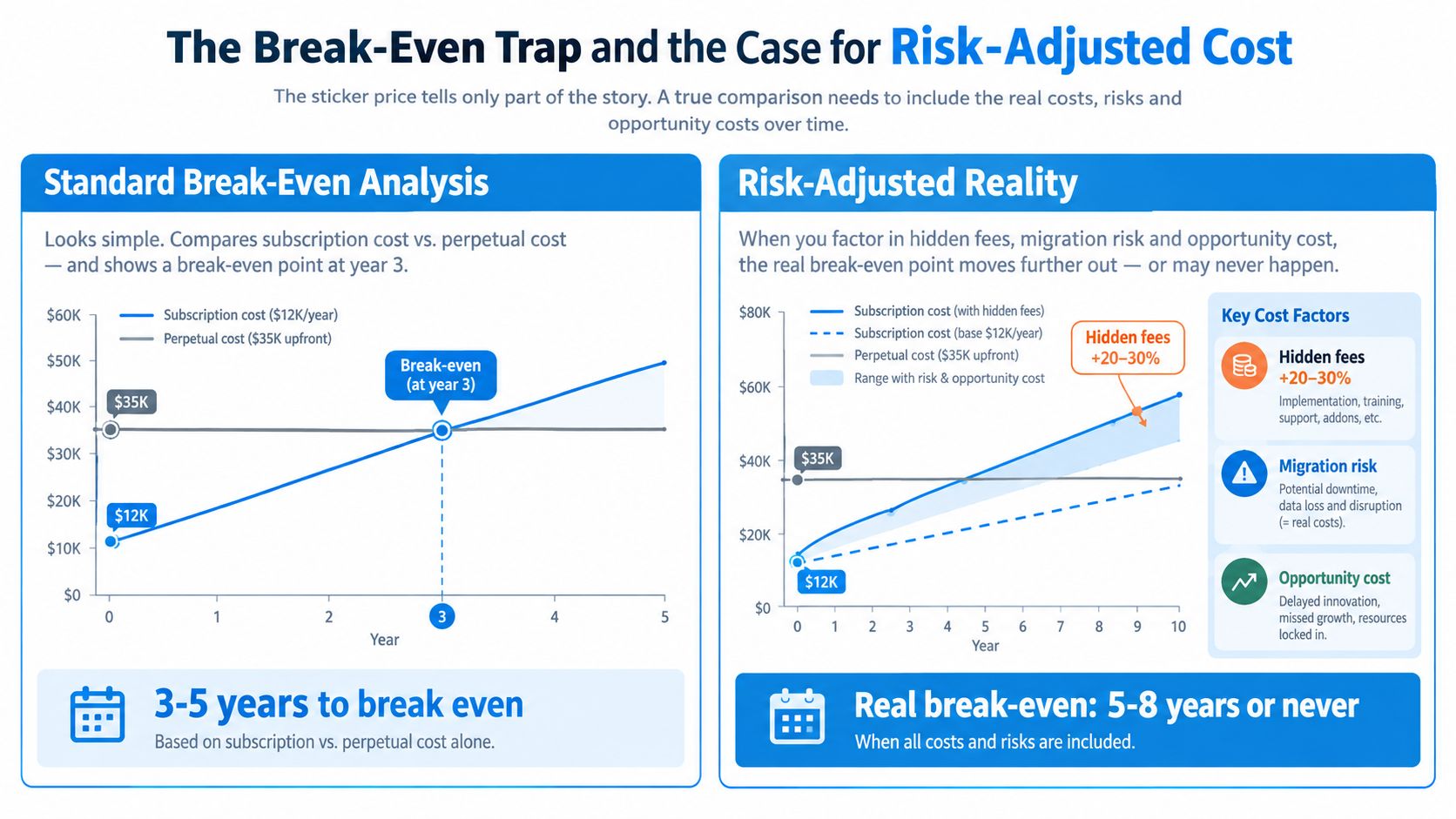
The central question isn't “Which model is cheaper after five years?” It's “Which party is better equipped to absorb uncertainty?” A stable internal platform team may prefer perpetual control. A fast-moving subscription merchant may prefer a managed service that keeps payment infrastructure current.
The following video adds context to the break-even discussion:
Which Model Fits Which Business
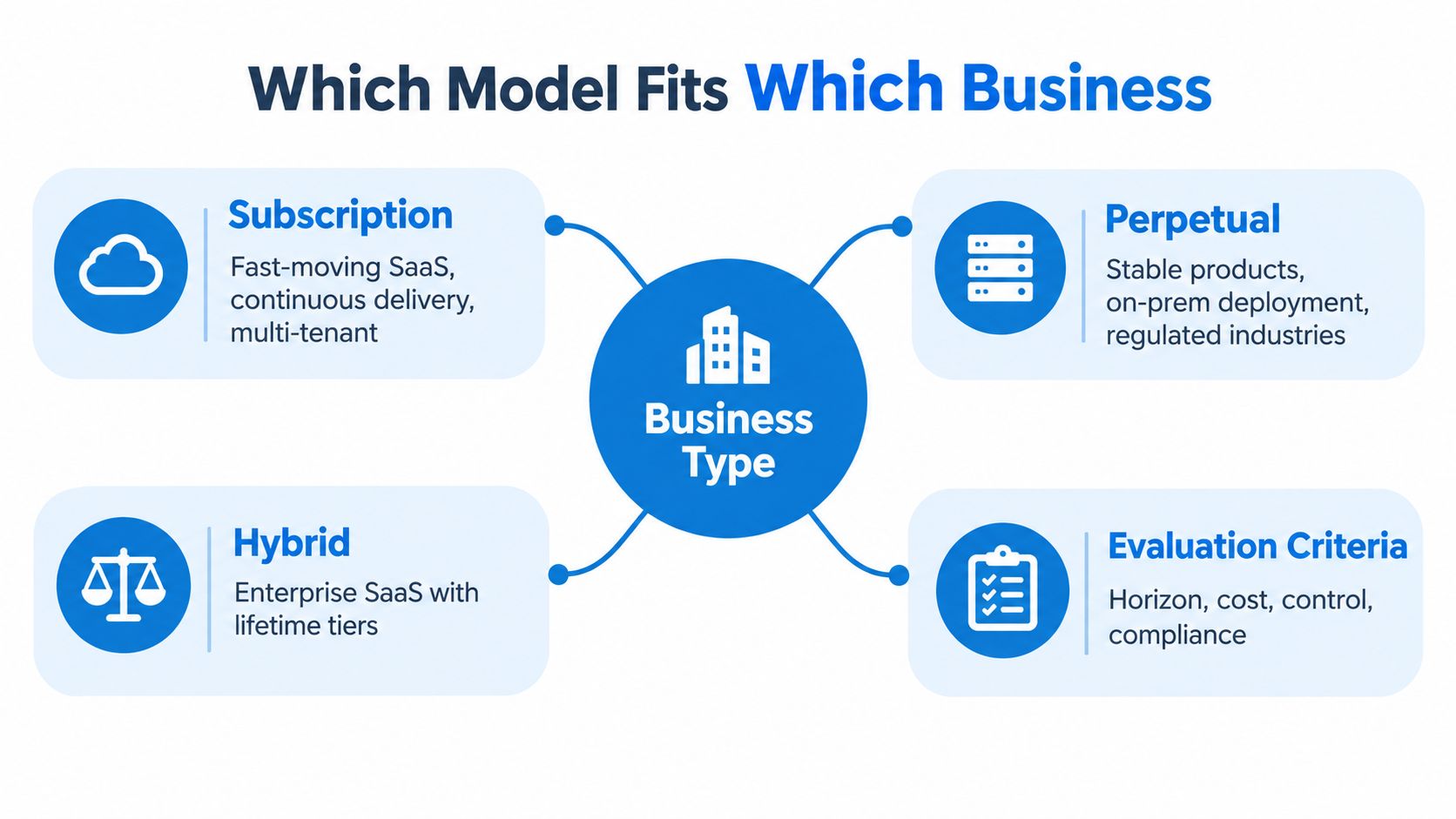
Subscription licensing fits businesses that need software to keep changing. That includes fast-moving SaaS products, multi-tenant services, distributed teams, and environments where customers expect current security patches without managing upgrade projects themselves.
It also fits merchant payment infrastructure when uptime, vaulting, routing, and token continuity matter more than owning a frozen software version. Payment systems interact with banks, card networks, fraud controls, gateways, wallets, and customer behavior. A service that can update its integrations and recovery logic without forcing every merchant to run a major upgrade may reduce operational friction.
Where perpetual still makes sense
Perpetual licensing remains credible for a long-lived, controlled workload. It can suit:
- Regulated on-premise systems: The buyer may need infrastructure control, a fixed deployment boundary, or a carefully governed release train.
- Hardware-adjacent software: A product may be embedded into equipment that remains in service for a long period.
- Engineering tools: Teams may need a stable version for repeatable production or testing workflows.
- OEM components: The software may be integrated into another product with a defined lifecycle.
- Low-volatility environments: User counts, infrastructure, and functional requirements may remain stable for years.
The trade-off is responsibility. The customer must maintain the environment, plan upgrades, manage vulnerabilities, preserve integrations, and ensure that the chosen version remains compatible with surrounding systems.
Hybrid is often the commercial compromise
A hybrid model can combine a perpetual core with subscription services for cloud connectors, telemetry, support, or newer capabilities. This arrangement works when customers need a stable local component but still want managed services around it.
The contract needs to separate the rights clearly. A buyer should know which functions continue after the service ends, which features become unavailable, how data is exported, and whether the local component can operate independently.
Don't use company size alone as a shortcut for the decision. A small vendor can operate a perpetual product if it has a focused market and disciplined maintenance program. A large platform can offer both models, but running separate sales motions, support paths, release processes, and commercial systems adds complexity.
For merchants, the strongest signal is operational rather than organizational. If payment methods, recurring billing, webhook events, and processor failover are mission-critical, choose the model and contract that preserve those assets through renewal, migration, and provider change.
Choosing the Right Model and Building Payment Resilience
Use a four-step process instead of starting with the vendor's price sheet.
1. Define the workload horizon
Map how long the business expects to use the system, how quickly requirements change, and whether user counts or transaction demand are stable. A frozen deployment with predictable needs deserves a different analysis from a payment stack that must support new providers, wallets, authentication methods, and recurring billing rules.
2. Calculate risk-adjusted cost
Model license fees, maintenance, support, infrastructure, implementation, upgrades, payment operations, and exit work. Include renewal uplifts where applicable, inactive seats, migration labor, downtime exposure, and the cost of rebuilding audit records or payment workflows.
3. Map exit triggers
Write down what would cause a move. Examples include a material price change, an unsupported version, a security maintenance gap, a service-level failure, a change in data residency, or the loss of a required payment method.
The exit clause should answer practical questions about data export, cancellation consequences, grace periods, read-only access, migration tooling, backup rights, and the treatment of saved payment methods. Licensing analysis focused on exit conditions highlights data-export terms, cancellation consequences, SLA coverage, scaling charges, and price-increase history as issues buyers should examine.
4. Stress-test the payment stack
Before committing, confirm:
- Token portability: Can saved payment methods support a move between supported providers?
- Processor failover: Can the merchant keep routing payments if its primary gateway has an outage or approval problem?
- Webhook durability: Are payment events traceable, replayable, and recoverable after an integration change?
- Dunning logic: Can the team adjust retries, notifications, and recovery rules without rebuilding the billing system?
- Refund exposure: What happens to refunds, disputes, and multi-period prepayments after cancellation?
- Transfer terms: Who performs the migration, and what documentation must the vendor provide?
A payment orchestration layer can place checkout, routing, vaulting, and multiple providers behind a single integration. FloPay provides those capabilities, including a processor-neutral vault and support for cards, wallets, PayPal, Stripe, and alternative payment methods, while payment orchestration software explains the broader operating model.
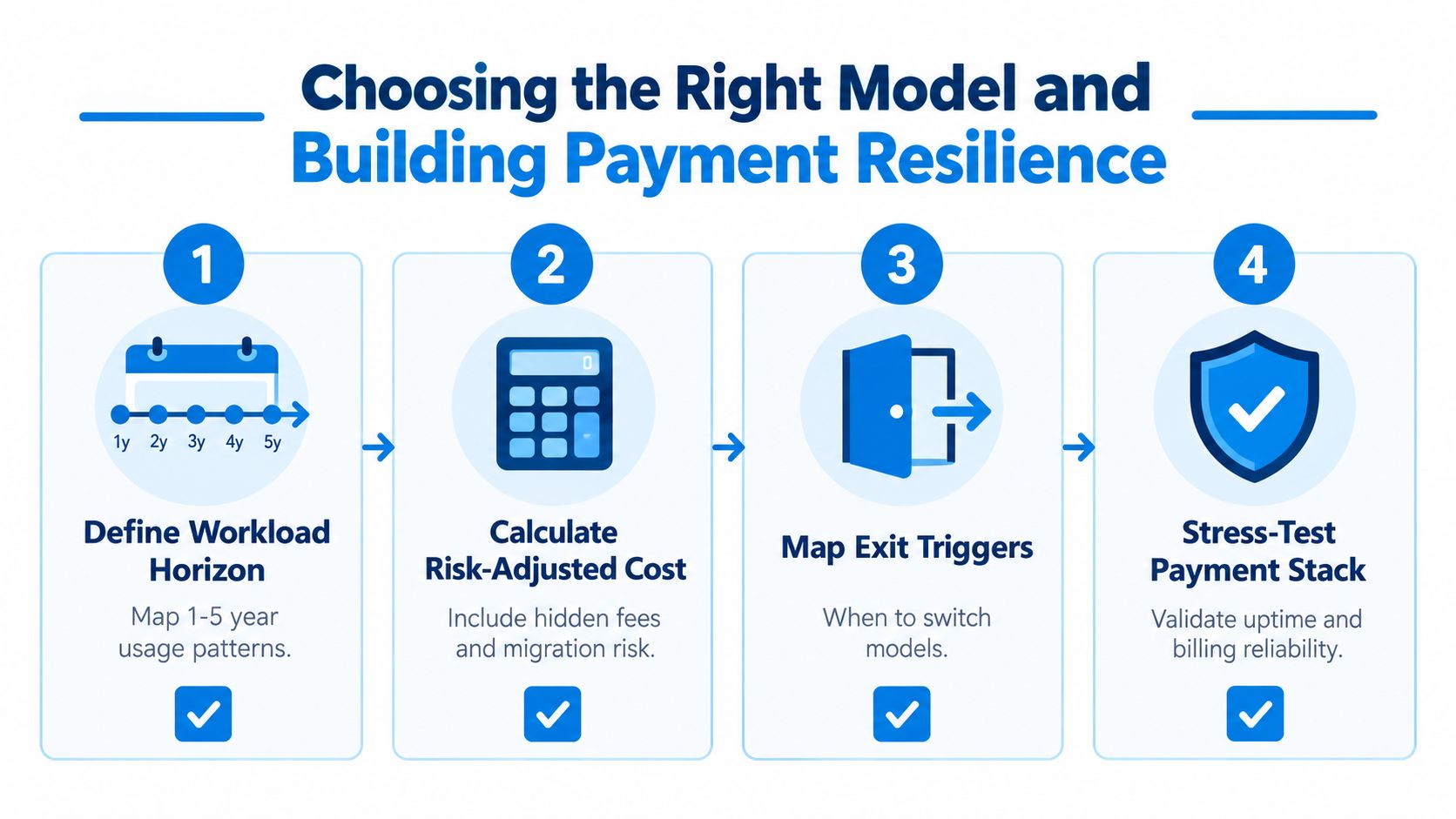
The licensing decision is ultimately a payment-resilience decision for any recurring-revenue business. Subscription and perpetual models can both fail when stored credentials, retry logic, audit records, and integration contracts aren't portable across vendors and renewal cycles.
If your business relies on recurring payments, start with a vault and continuity review before your next renewal. FloPay provides payment orchestration, embedded checkout, processor-neutral vaulting, routing, and payment recovery tools to help merchants protect recurring revenue while preparing for future provider and agent-assisted payment flows.