What Is Hosted Checkout? When to Use It Instead of an Embedded Form
Hosted checkout explained: how the flow works, how a hosted page compares with an embedded payment form, and what happens when a payment fails or renews.
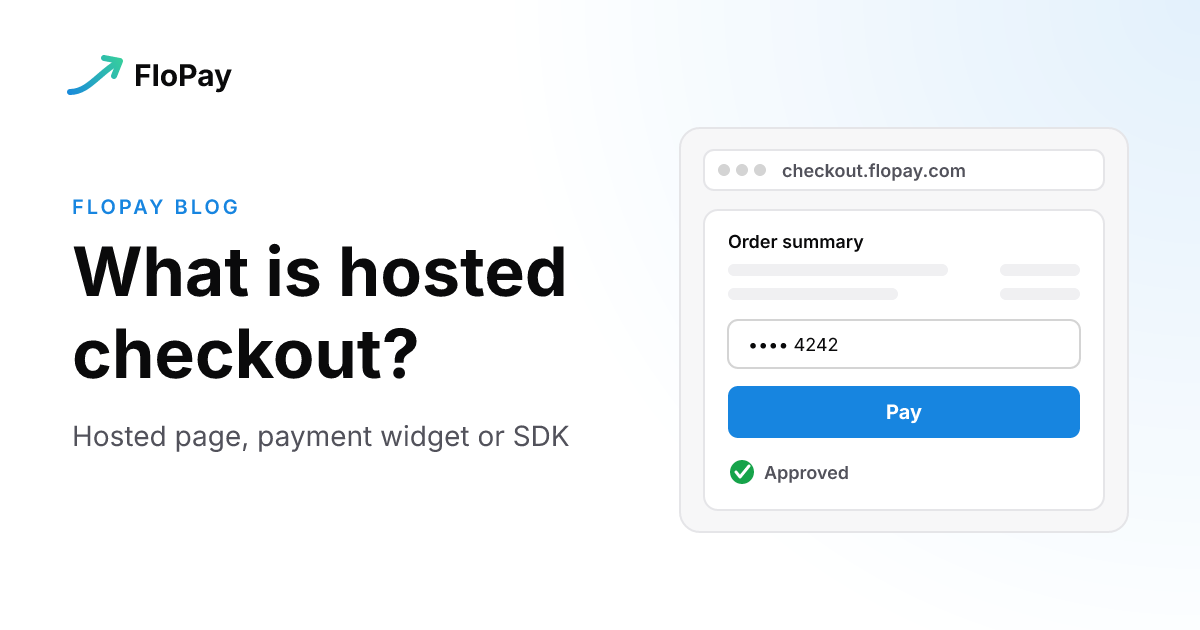
Hosted checkout lets you take payments online without building a payment form. Your buyer pays on a page your payment provider runs, and you get the result back. The trade-off is control: the page lives on someone else's servers, so you shape less of it.
This post explains what a hosted checkout is, how it compares with an embedded payment form, and what happens when a payment fails or needs to be charged again. That last part is where hosted checkouts really differ, and it's the part most explanations skip. If you already know you want one on FloPay, the hosted checkout links guide has the steps.
What is hosted checkout?
A hosted checkout is a payment page that runs on your payment provider's servers instead of yours. You send the buyer to it, or show it inside your site, and the provider collects the card, talks to the bank and tells you how it went.
You'll also see it called a hosted payment page or a hosted checkout page. They mean the same thing. The opposite is an embedded checkout: the payment form sits inside your own page, and your code creates and drives the payment session.
A hosted checkout isn't the same thing as a payment link, though the two often meet. A payment link is a way to deliver a checkout: a URL you send in an email, a chat or an invoice. What the buyer lands on is usually a hosted page. We covered links on their own in what pay by link is and how merchants use it, so this post sticks to the page itself.
How a hosted checkout works
In broad strokes, a hosted checkout runs like this:
- The buyer clicks to pay on your site, or opens a link you sent.
- A checkout session is created for that buyer, with the products, the price and the currency.
- The buyer sees the provider's payment page, either as a full page or as a form framed inside yours.
- The buyer enters a card or picks another method, and the bank may ask for 3D Secure.
- The provider tells your server the result and sends the buyer back to your success page.
On FloPay, a hosted checkout link turns a catalog offer into a reusable checkout. Every buyer who opens the link gets a fresh payment session of their own, so one link can serve many buyers without them sharing anything. You inspect, edit or deactivate the link from the Dashboard, and a change applies to new opens, never to a checkout already in progress.
Hosted page, payment widget or SDK
The real choice isn't hosted versus embedded. It's how much of the checkout you want to own. FloPay gives you three ways to deliver it, and the accept a payment guide sets them side by side:
| Full hosted page | Payment widget | SDK checkout | |
|---|---|---|---|
| What the buyer sees | A complete FloPay page with the order summary and payment form | Only the payment form, framed inside your page | A checkout your app renders and controls |
| How you deliver it | Share the URL by email, chat, QR code or a button | Use the link as an iframe source on an approved HTTPS page | Create sessions from your app or your server |
| What you build | Nothing | One iframe | Session creation, layout and callbacks |
| Fits when | You want to take payments now | You want buyers to stay on your page without a session integration | Checkout is part of your product |
The full page is the default, and it goes anywhere a URL goes. The widget is the middle path: your page carries the order experience, and the payment form inside the frame stays ours. A link keeps the surface it was created with, so if you want the same offer both ways, you create two links.
The SDK is the embedded form in the full sense. Your application creates the session, picks the layout and handles the callbacks, and the card fields still come from the FloPay component, not from inputs you build.
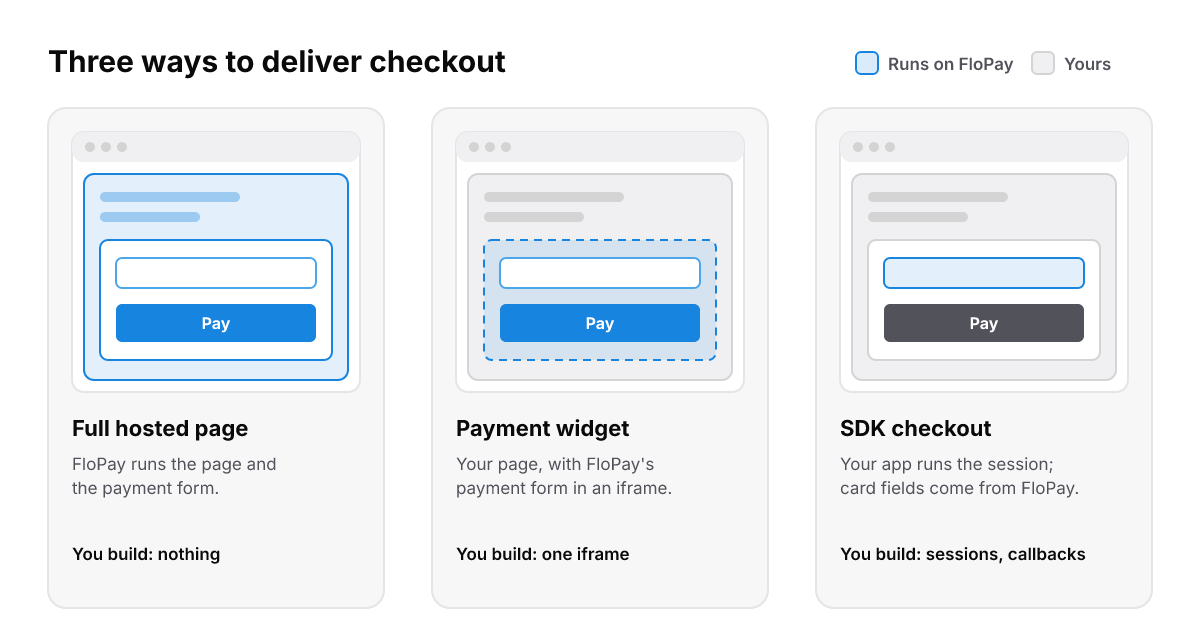
The more of the checkout you own, the more you build. Card entry stays with FloPay in all three.
What we see our clients choose
We have clients on both sides. Zero Human uses our hosted payment pages for speed. Others prefer a deeper integration with our SDKs, because it lets them control the whole buyer experience.
When merchants move off a provider-only hosted page, it's usually to an SDK or a deeper integration, and the reason is conversion: they want to keep buyers on their own page. We don't yet have figures comparing approval rates on hosted links with embedded checkout, so we won't quote one.
When to use hosted checkout
A hosted page is the right call when:
- You want to take payments without a build. The full page needs no code at all.
- You sell where a URL is the natural thing to send. Invoices, chats, QR codes and support conversations all carry a link easily.
- You want card numbers off your pages. On a FloPay hosted checkout, the buyer types card details into FloPay's secure payment surface, not into your page. Credit card on file covers what that means for PCI.
- You want to test your setup. Our merchant docs suggest a payment link as the quickest check that your own catalog and gateway work together, before you pick a delivery method for good.
An embedded form or the SDK is the better call when:
- Checkout is part of your product, and the layout, the copy and every step matter to you.
- You want buyers on your domain the whole way.
- Your server must decide the price. When pricing, entitlements or other business rules have to stay server-side, the SDK lets a trusted backend create the session.
What it takes to go live
To go live with a hosted checkout link on FloPay, you need an active gateway connected in your workspace and at least one active catalog product priced in the link's currency. Success and cancel pages are optional. Coupons, capture, address checks and expiry all have defaults. The full page needs no code. The widget needs only an iframe on an HTTPS page your workspace has approved.
We haven't measured how long it takes from first login to first payment, so we won't give you a number. The steps themselves are in the hosted checkout links guide.
When the payment fails
This is where hosted checkouts differ most, so it's worth asking any provider about before you choose one.
On a FloPay hosted checkout, a decline, a 3D Secure challenge or a retryable error doesn't send the buyer away. The checkout stays open, the bank's challenge opens on top of it, and the buyer can fix their details, try again or pick another method in the same session. The retry stays one payment. Only a settled payment goes to your success page.
Behind the scenes, if you've turned on a second card gateway for failover, FloPay can try the same new card on that gateway before the buyer sees the first refusal. It stops at a success or a 3D Secure challenge. It doesn't move on for card details the buyer must fix, insufficient funds or a card-wide refusal. A new gateway has failover off until you turn it on.
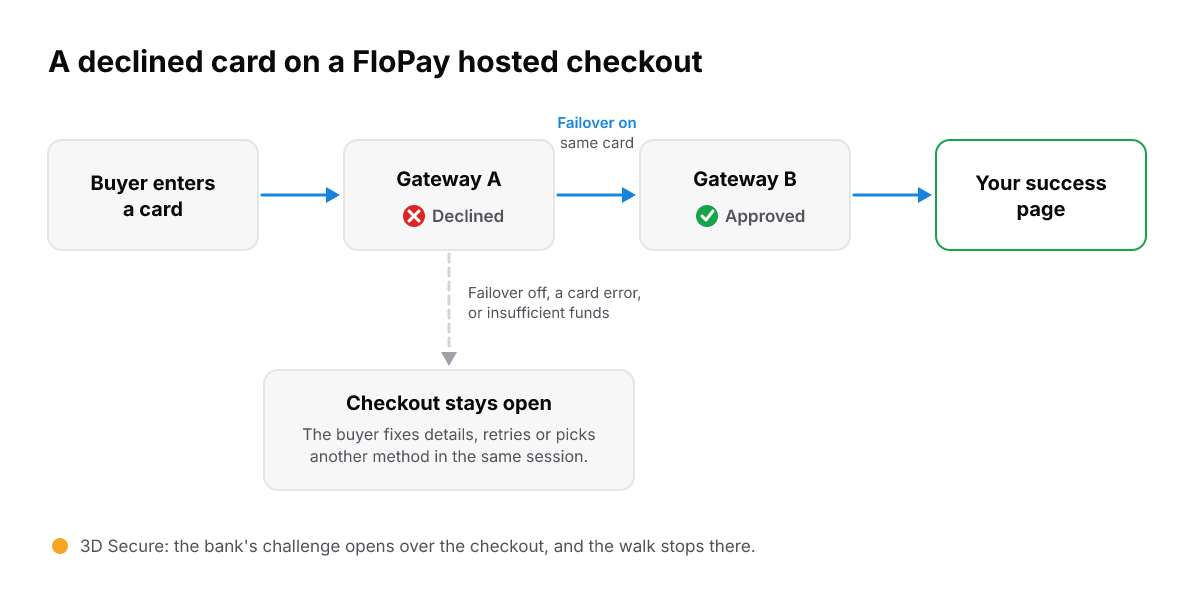
With failover on, a declined new card can be approved on your second gateway before the buyer sees the first refusal.
The full rules are in routing and reliability. For where this sits in a wider payment stack, read our guide to payment orchestration software.
After the first payment
If you sell subscriptions, the first payment is only the start. What matters next is whether you can charge the same card again.
On FloPay, the hosted card form sends the card to our PCI vault, and you keep only a token. A card paid on a hosted link can be charged again for renewals and retries when the buyer agreed to it. That works only when the checkout knows who the buyer is, so open the link with the customer's email or user id. A guest checkout has no customer to save the card to.
Once the card is saved, your customer can replace it on FloPay's hosted manage payments page, so a customer with an expired card can fix it without you building a page for it. How tokens and vaults work is its own topic: read what a credit card vault is, or see the FloPay vault.
The mistake to avoid
The biggest one is treating the success redirect as proof of payment. The redirect is there for the buyer and is not proof that money moved. Fulfill an order only from a verified API result or a webhook on your own server.
The second one: putting one buyer's email or details on a link and then sharing that link with others. Anyone who opens it starts a checkout with that person's details. Keep a personalized link for the person it names.
The short version
- A hosted checkout is a payment page your provider runs, so you take payments without building a form.
- Choose a full page to send anywhere, a widget to keep buyers on your page, or the SDK when checkout is part of your product.
- Before you pick a provider, ask what the buyer sees when a card is declined, and whether the card is saved for the next charge.
- Fulfill from your server, never from the redirect.
Ready to try one? Follow the hosted checkout links guide, see pricing, or browse the FloPay docs.