3D Secure Authentication: What It Is and How It Works for Merchants
What 3D Secure authentication is, how a 3DS card payment flows, what it changes for fraud and liability, and what happens with saved cards and renewals.
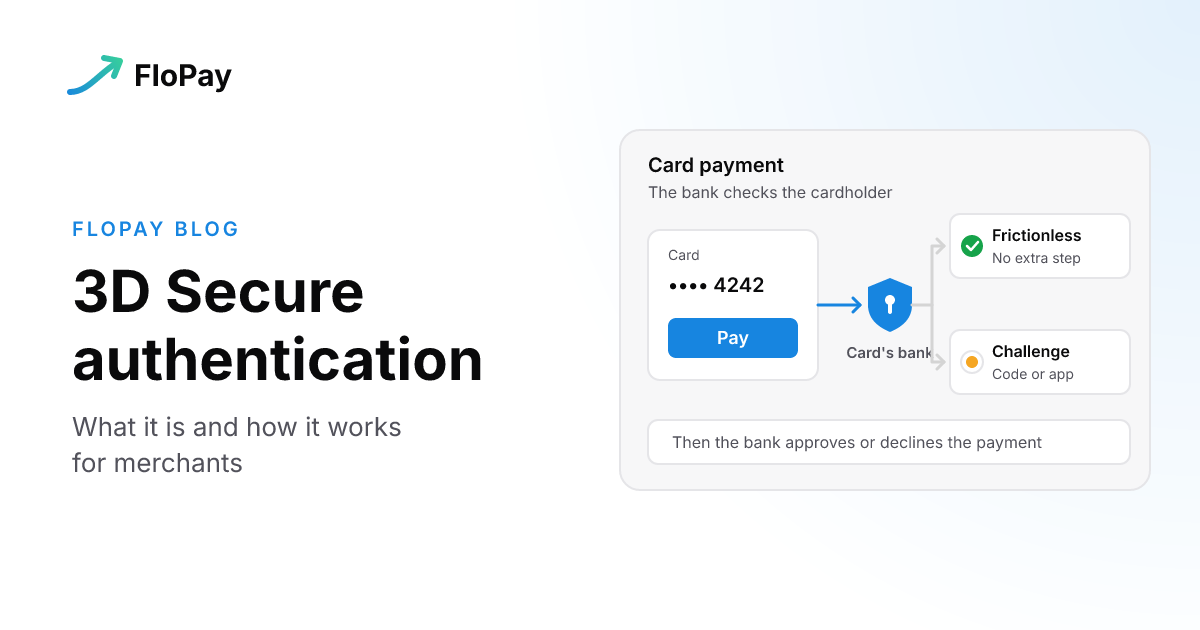
3D Secure authentication is a check the card's bank runs during an online card payment to confirm that the person paying is the cardholder. Most of the time the buyer never notices it. Sometimes the bank asks them to prove who they are with a code, an app or a fingerprint, and that's the step people remember.
This post explains what 3D Secure is, what happens during a payment that uses it, and what it changes for a merchant. It also covers the part most explanations skip: whose problem it is when the check goes wrong, and what happens when a saved card is charged and nobody is there to answer the bank.
What is 3D Secure authentication?
Stripe's documentation describes 3D Secure, or 3DS, as a protocol that adds a security layer to card transactions by verifying that the person making a purchase is the legitimate cardholder. When it runs, the issuing bank might ask the cardholder to authenticate with a password, a one-time code sent to their phone, or biometric verification.
Buyers rarely see the name 3D Secure. They see the card network's brand for it: Visa Secure, Mastercard Identity Check or American Express SafeKey, as Stripe lists them.
Visa says it originally developed the technology. The first generation relied on static passwords that sometimes added friction at checkout. The current version, EMV 3DS, which Visa runs as Visa Secure, shares more data with the bank so that more payments can be checked without asking the buyer anything.
Authentication is not authorization
Visa's guide draws a line that matters when you read your results. Authentication confirms the cardholder's identity. Authorization decides whether the payment can go ahead, based on available funds and account status. They're separate steps, so a payment can pass 3D Secure and still be declined. If that's what you're looking at, Payment Was Declined covers how to read it.
Is 3D Secure required?
It depends on where you sell. Stripe's page says the Strong Customer Authentication rules in PSD2, which cover the European Economic Area, and similar rules in the UK, India, Japan and Australia might require 3DS for card payments. In other regions it's optional, and you can use it to reduce fraud.
How do you activate 3D Secure?
For a merchant, 3D Secure comes through the payment processor that sends your card payments on. Visa describes merchants connecting to a 3DS program that passes the transaction data to the card's bank. For a cardholder, the check comes from the bank that issued the card, not from the store, so questions about codes, apps or enrollment go to that bank.
How a 3D Secure payment works
Visa names three parties. The merchant starts the authentication request. The 3DS network, such as Visa Secure, sets the rules and the data standards. The issuer, the card's bank, uses an access control server to assess the risk and authenticate the cardholder.
Put together, a payment runs like this:
- The buyer enters their card and presses pay.
- The merchant's side sends an authentication request, with details about the payment and the device, to the card's bank.
- The bank weighs the risk. Visa says the issuer looks at hundreds of data points, such as the device type, the location and past spending.
- A low-risk payment is authenticated in the background with no extra step. Visa calls this the frictionless flow.
- A riskier payment gets a challenge: the bank asks the buyer for a one-time code or a biometric check. This is the challenge flow.
- The payment then goes to authorization, where the bank approves or declines it.
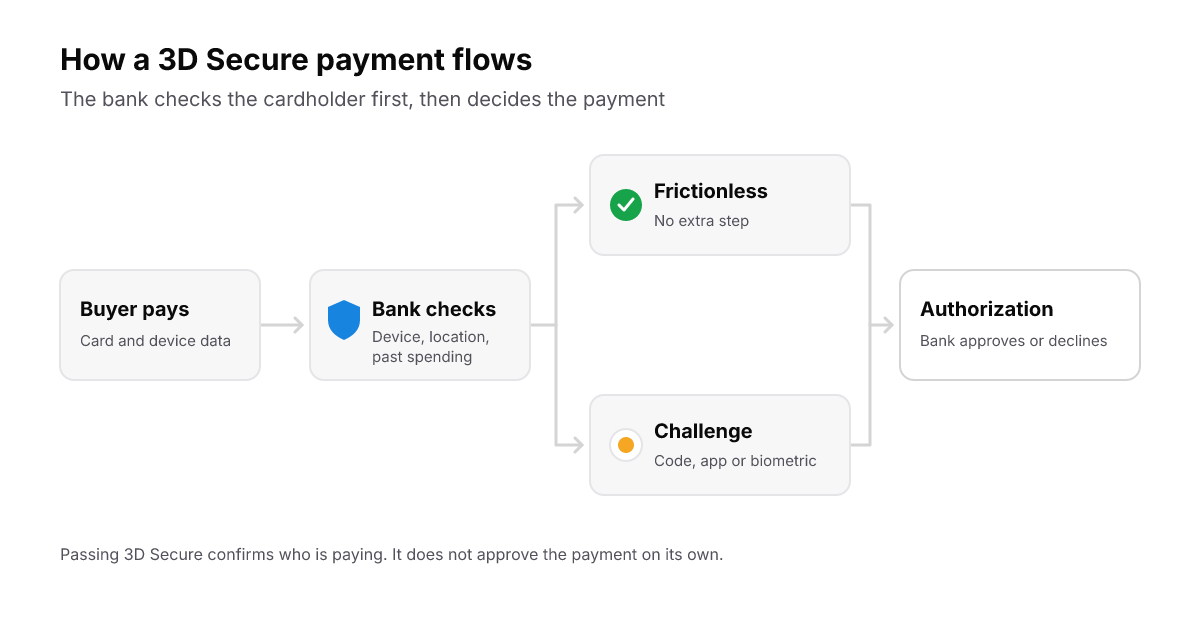
Low-risk payments take the frictionless path. Either way, the bank still decides authorization afterward.
What 3D Secure changes for a merchant
Fraud. According to Visa's own VisaNet data, authenticated transactions show about a 45% reduction in fraud: 11 basis points of fraud, against 20 for eCommerce transactions that weren't authenticated. Visa also reports a 9% lift in approval rates for transactions authenticated through Visa Secure. Those are Visa's figures for Visa's program, published in its 3D Secure guide.
Liability. Visa says successful authentication can shift liability away from the merchant, for authenticated or attempted-authentication transactions. "Can" is the word to notice: it isn't a promise. Dispute prevention covers where authentication fits among your other controls, and how to prevent chargebacks covers the rest.
Friction. A challenge is one more step between the buyer and the purchase, and a buyer can drop out there. We don't have our own figures yet on how 3D Secure changes approval rates, abandonment or chargebacks, so we won't give one. You can count it in your own checkout: the FloPay checkout emits a 3ds_challenge event each time the bank hands a buyer a challenge, so you can put challenges in your funnel next to attempts and declines. The analytics guide lists every event.
Whose problem is it when 3D Secure goes wrong?
Some 3D Secure problems belong to the cardholder and their bank. Others belong to the merchant and whoever runs the checkout. Telling them apart saves support time on both sides.
| What happened | Whose it is | What to do |
|---|---|---|
| The code never arrived, or the bank's app didn't respond | The cardholder and their bank | The cardholder contacts the bank that issued the card |
| The buyer failed or canceled the challenge | The cardholder | Let them try again or use another card |
| The challenge never appeared, or its result was lost | The checkout and the payment platform | Fix the integration. On FloPay, that's ours to fix |
| Authentication passed, then the payment was declined | Authorization, not 3D Secure | Read the decline, as Payment Was Declined explains |
| A renewal needed a challenge and nobody was there | The merchant's recovery process | Bring the customer back to confirm a card (see below) |
3D Secure on FloPay
FloPay runs 3D Secure on card payments through Stripe and through Worldpay, and you write no 3DS code: the FloPay checkout and hosted card form handle it. When the bank approves without a challenge, the buyer sees nothing extra. When the bank asks for a challenge, its page opens in a Card authentication dialog on top of the checkout, not in a new page or tab.
Here's what the buyer goes through on a challenge:
- After they press Pay, the form shows it's processing, then opens the bank's challenge in the Card authentication dialog, which has its own button to close it.
- If they complete the challenge, the payment carries on to its result.
- If they fail it, the checkout says "3D Secure authentication failed. Please try again or use a different card." The card form stays open, so they can try again or use another card in the same session.
- If they close the dialog, the session stays open and the card form is usable again. Coming back to the open session brings the challenge back without charging a second time.
On Worldpay, 3D Secure runs through Worldpay's 3DS Flex and is in Preview: it needs FloPay Operations approval and live 3DS verification before it takes production payments. The Worldpay connector guide has the details.
Who decides what
The card's bank decides whether a payment is challenged and whether authentication passes. FloPay has no fraud rules engine of its own, and any risk rules you keep on a processor account stay with that processor.
You choose which processor accounts to connect and whether a second one is on for failover. On Worldpay, 3DS Flex also needs its own credentials and our Operations approval.
FloPay shows the challenge, carries the result back and acts on it. A failed challenge stops the payment, and no other card or gateway is tried, because more attempts won't help and can trip fraud alarms. If a challenge can't be shown or its result is lost, that's ours to fix. How failover treats a challenge on a newly entered card is in what hosted checkout is.
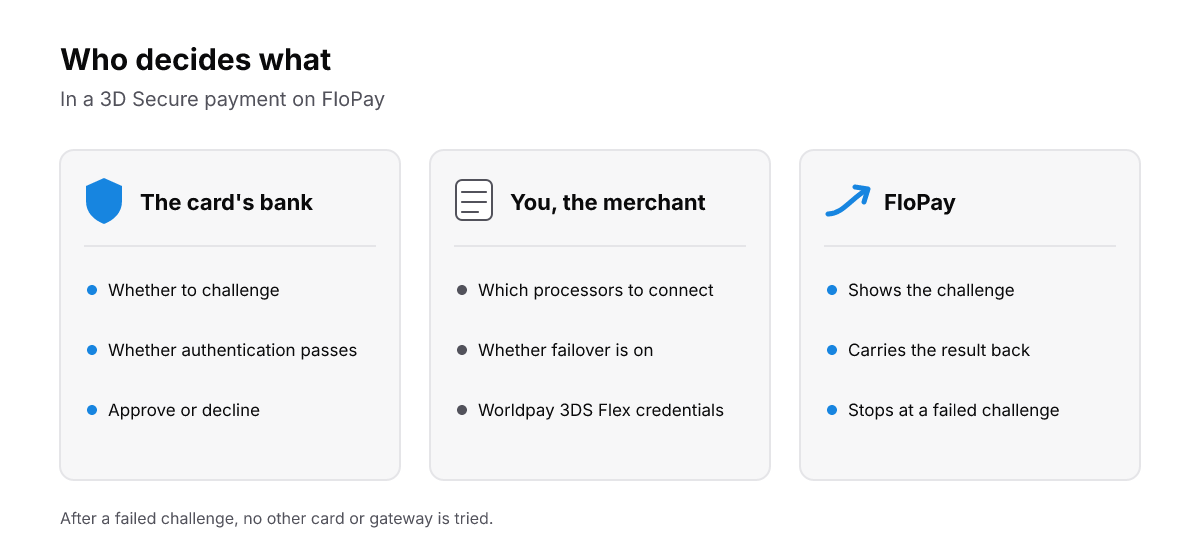
The bank decides. You choose your processors. FloPay shows the challenge and acts on the result.
Saved cards and renewals
3D Secure can apply when a customer saves a card, and again when a saved card is charged. When a customer saves a card on FloPay, we report success only after any 3D Secure step the bank asks for, so a card that fails authentication is never saved.
A renewal has no customer present to answer a challenge, as our authorization rate guide notes. So if the bank asks for one, FloPay stops that attempt and tries no other card or gateway, so the customer can't be charged twice, and the subscription goes into recovery. The customer can then add or update a card on the hosted manage payments page, where 3D Secure runs while they're there. How the customer is asked back is in dunning management.
Moving a saved card to another gateway never skips 3D Secure either. If the bank asks for a challenge on the new gateway, the customer is challenged. How a saved card works in the first place is in credit card on file and what a credit card vault is.
What we saw testing it on two processors
We test 3D Secure on stage on both Stripe and Worldpay, and the two test environments don't behave the same. Stripe's test challenge is a "3D Secure 2 Test Page" with two buttons, Fail and Complete. Worldpay's test environment shows its own challenge page: you follow its prompt to pass and cancel to fail. Stripe's "authentication fails" case fails before any challenge appears, and Worldpay's test environment has no exact match for a card that is challenged every time.
Neither involves a real bank, so a passing stage test doesn't prove how live issuers will behave. Test on each processor, then verify live. The stage testing guide lists every test outcome on both.
The short version
- 3D Secure is the card's bank checking that the buyer is the cardholder. Most payments pass in the background, and some get a challenge.
- Authentication and authorization are separate steps: a payment can pass 3D Secure and still be declined.
- Visa's own data shows less fraud on authenticated payments, and authentication can shift liability away from the merchant.
- Code and app problems are the cardholder's to take to their bank. A challenge that never shows is the checkout's to fix.
- A renewal can't answer a challenge, so plan how the customer comes back to confirm a card.
See how FloPay accepts a payment, how it handles chargeback prevention, or visit FloPay.